

Videos or speed?
You can have both!
With NitroPack’s video optimization, you can serve high-quality videos and maintain lightning-fast load times. No trade-offs, just the perfect balance of visuals and speed.
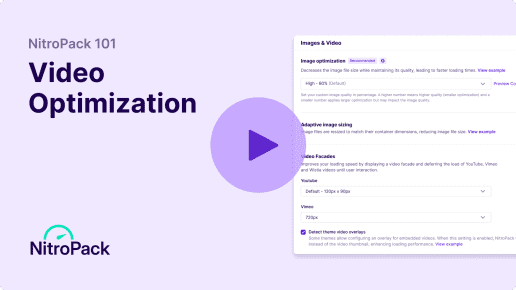

Video files are heavy!

Why is video optimization important?

Videos slow down your site
Unoptimized videos can significantly increase the amount of data a browser must load, leading to slower page load times, especially on mobile devices or slower networks.
Videos delay key content
Without optimization, videos can block other critical resources from loading, causing noticeable delays in rendering above-the-fold content.

Wasted bandwidth and money
High-quality videos consume more bandwidth, which can strain server resources and lead to higher costs, particularly for high-traffic websites.
Poor SEO and user experience
Poorly optimized videos can hurt metrics like Largest Contentful Paint (LCP) and Interaction to Next Paint (INP), which directly affect user experience and SEO rankings.
How NitroPack optimizes your videos
Defer, lazy load, and insert overlays for improved LCP and INP scores and faster load times.
Video facades
Improve loading times by displaying a video facade and deferring the load of YouTube, Vimeo, and Wistia videos until the user plays them.

Lazy load iFrames
Delay the loading of off-screen iFrames and videos until they’re visible to the user, ensuring critical above-the-fold content loads first.
Lazy Load Videos
Delays the loading of videos until they enter the viewport, saving bandwidth and improving page performance.

Detect theme video overlays
If your theme allows, NitroPack will automatically replace your video thumbnail with an overlay, thus improving loading speed and performance.
No more video warnings in your Google PSI report
 Eliminate render-blocking resources
- Largest Contentful Paint element
- Some third-party resources can be lazy loaded with a facade
- Reduce the impact of third-party code

FAQs
How does NitroPack optimize videos without compromising quality?
NitroPack uses advanced compression techniques to reduce video file sizes while maintaining visual quality. By optimizing video formats, using efficient codecs, and implementing strategies like lazy loading and video facades, NitroPack ensures videos load faster without affecting the viewing experience.
Will video optimization impact the playback experience for my users?
Not at all! NitroPack ensures that videos load fast without buffering or delays. By only loading videos when users interact with them, your site stays fast, and your visitors get a seamless experience.
Does NitroPack offer video optimization for mobile as well?
Yes! NitroPack’s video optimization works across both desktop and mobile devices, ensuring fast load times and smooth playback, no matter how visitors access your site.
Can I control which videos get optimized, or does NitroPack optimize everything automatically?
NitroPack automatically optimizes all eligible videos to ensure peak performance. However, you can fine-tune settings to control how videos are optimized based on your site’s needs.
Is NitroPack’s video optimization available for non-WordPress sites?
No, NitroPack is built exclusively for WordPress websites. Our video optimization features, along with caching and performance enhancements, are designed specifically to optimize WordPress sites.