

Manage your site
speed with ease
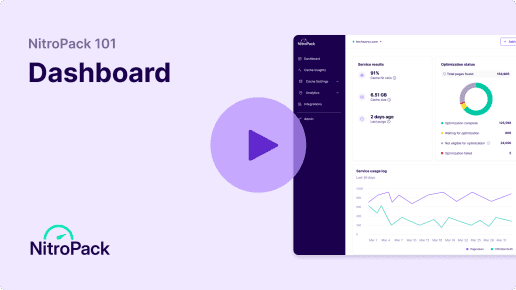
Customize settings, track results, access insights, and collaborate with your team—all from the NitroPack Dashboard.

“What sets NitroPack apart for us is
the clarity of its dashboard.”

Centralized control
Manage everything NitroPack-related from one easy-to-access hub without switching tabs and multiple platforms.

Simple navigation
Easily manage and adjust your site’s optimizations with intuitive toggle on/off buttons, streamlined menus, and a user-friendly layout.
Easy collaboration
Invite your team and seamlessly manage your websites and their performance optimizations together.
Safe optimizations
Eliminate guesswork with built-in safeguards and automation that simplify updates, backups, and maintenance.
Built for growth
Eliminate guesswork with built-in safeguards and automation that simplify updates, backups, and maintenance.
Design simplicity
Enjoy a unified interface and workflow, reducing the learning curve and making tasks intuitive for users of all skill levels.
Optimize with Pre-Built Modes
 Standard
Standard
Applies basic optimizations to improve site speed without aggressive techniques, ensuring maximum stability. It’s ideal for business sites with critical functionality that must remain unaffected.
 Optimized for stability
- Might not bring a significant speed boost

Medium
Medium
Balances performance improvements with stability by implementing moderate optimizations. Perfect for smaller sites or those just beginning their optimization journey.
- Better speed boost than Standard Mode
- Reliable improvements without complexity
Strong
Strong
Utilizes advanced features like image lazy loading, font adjustments, and optimized resource loading to deliver faster speeds. It’s a great choice for most websites, such as eCommerce stores with dynamic content.
- Advanced optimizations
- Boost speed without losing stability
 Ludicrous
Ludicrous
The most aggressive optimization setting, aiming for the highest possible page speed scores by delaying JavaScript execution and prioritizing essential content.
- Maximum speed and high impact
- Requires extra tweaks for JS-heavy sites
Custom
Custom
Allows complete control over optimization settings, enabling you to tailor configurations to your specific requirements.
- User-defined settings
- Best for advanced users
Track. Analyze. Optimize.
Cache insights
Robust analytics
Stay fast, stay safe
100% file protection
Test before going live
Enhanced security with 2FA
Full account visibility
Bring your team onboard
Team management
Email notifications
9/10 people swear by
NitroPack’s Live Chat support
Be the first to experience new features
FAQs
How do I access the NitroPack Dashboard?
You can access the NitroPack Dashboard by logging into your account at nitropack.io. From there, you’ll have full control over your optimizations, settings, and analytics.
I’m used to working in the WP admin panel. How’s the NitroPack Dashboard better?
The NitroPack dashboard offers advanced tools and insights beyond the WordPress admin panel. It provides detailed analytics, multi-site management, customization options, and exclusive features like Plugin History and Test Mode. It’s designed to complement your workflow, giving you full control over your site’s optimization.
Is the NitroPack Dashboard available on all plans?
Yes, all NitroPack users have access to the Dashboard. However, certain features (like Team Management) are limited to higher-tier plans.
Can I manage multiple websites from the Dashboard?
Yes, NitroPack allows you to manage multiple websites from the Dashboard. You can easily switch between sites, monitor performance, and adjust optimization settings for each one.
What if my site breaks after enabling optimizations?
If you notice any issues, you can use the Dashboard to adjust optimization settings or exclude specific pages or scripts. Our support team is available to help you 24/7 via a live chat.
Do I lose access to the Dashboard if I exceed my plan’s resource limits?
No, you don’t. However, if you hit your plan’s limits, NitroPack will stop optimizing your site until the next billing cycle. To avoid this, you can enable Resource Overages and set a monthly budget to ensure your site stays optimized and delivers fast-loading pages without interruption.
Is the NitroPack dashboard mobile-friendly?
Yes, the NitroPack dashboard is designed to be mobile-friendly, allowing you to manage and monitor your website’s performance from any device.